Friday, 23 April 2010
feedback on magazine
In the video i was given a lot of useful feedback. Most of the people were impressed with the girl being on the contents page, they believed that it attracted people to buy the magazine. One boy said that i should put the girl on the front cover as this will appeal to the male readers more and put the boy on the contents, if i had enough time i would have done this but I do not have enough time, but i have taken his points into consideration. Another boy said they felt that the images of Asher dominated the main feature page too much, and I should increase the size of the text and decrease the sizes of the images, I intend to do these changes.

Friday, 9 April 2010
Magazine Proposal, Planning and Flat Plan
Magazine proposal
Name: This Is Sick!! I have chosen this as the title because its an alternative of Michael Jackson‘s movie This Is It!! I think this title is good for my magazine, because most of the R&B superstars have in a way been influenced by Michael Jackson.
Genre: Purely R&B no other R&B magazines specialise in purely in RnB, soul, neo soul they always have other genres included in the magazine such as hip hop for vibe. Right On!!, has started to include teen pop in their magazine.
Place in current market: To make my magazine more prestigious I will make it monthly, because magazines that are published weekly are generally cheaper than monthly magazines. Also a monthly magazine will not have as a much stress as a weekly magazine
Logo:
This is a silhouette of someone dancing in the style of Michael Jackson, I think this logo is good, as music and dancing are a good link.
Target audience: RnB fans from early teens to about late thirties.
Ideas for cover story: return to the scene
Idea for contents page: shows the page numbers with pictures on the sides to show what the article will be about. Main stories will be emphasised, and some brief detail will be included and a note from the editor.
Idea for double page spread: Interview with Chris Brown an RnB superstar and find out how his lifer has dramatically changed this year.
Below is my original flat plan

My presentation is underneath
http://www.slideshare.net/dyamfool/media-magazine-genre-3915513
Evaluation
In what ways does your media product use, develop or change forms and conventions of real media products?
I believe my media product uses the conventions of real media products, my front cover looks realistic because it has a barcode, price and date on it. These are a few simple things that are on real life magazines have. It also uses the conventions because I have one big main image on my media product, this is because the image is the main attraction, and this is used in a lot of real media products.
How does your media product represent a particular social group?
My product is a R&B magazine, stereotypically the particular social group my media product represents is at urban teenagers/young adults I think that they understand the language used etc. My front cover shows this, because it has a picture of a black male on the front, usually people would assume straight away that my cover is either R&B or Hip Hop.
What kind of media institution might distribute your media product and why?
Who would be the audience for your media product?
I think that I would use the company Time inc to distribute my magazine, because it has previously distributed magazines such as Vibe, which was the same genre as my magazine R&B. Time Inc is one of the largest content company in the world. It is the largest magazine publisher in the U.S, and a leading publisher in the U.K. and Mexico, this shows that it's very popular and successful, i would like my magazine to be associated with this company. I would also put my magazine into shops such as HMV and Zavi as they a very big music companies, they would raise awareness to my magazine, as it provides a selection of different type of music.
I believe the audience would be people who enjoy RnB music, I have included names of new and old RnB superstars so that it’s not specifically aimed at just the young generation, Although I personally prefer very old RnB I have only included artists older artists from back in the 1990s and mid 1980s, this means that teenagers and people in their early 20s will be interested in my product, people in their 60s may not be interested in my product, because these artists might not appeal to them. The audience could also be teenagers because on the front cover I have put an image of a CD and written around it free cd, as teenagers do not always have as much access to money as adults they, would be more than happy to know that they would get a free CD if they purchased the magazine, it would be a bonus to them, also adults wouldn’t mind getting free items, people do not always like spending their own money. My audience may be more females compared to males, because my central image is a picture of “Asher B” who is quite attractive so he may be seen as eye candy for females, they may have a crush on him, because girls generally do have celebrity crushes he is what they may look for in a guy, young, talented, successful and good looking.
How did you attract/address your audience?
My product attracts my audience, because it has a nice colour scheme of black white and red. This means that it attracts both males and females because there are not any colours that are associated with a specific gender i.e. pink for girls. I also put an image of a CD with the writing free CD around it, this makes the audience feel they are getting something extra.

What have you learnt about technologies from the process of constructing this product?
I have learnt some much about technologies, it was a lot harder than I expected to
construct this product. Adobe In design is not easy software. I learnt that you have to work on a lot of different layers, even for things that seemed very little i.e. a text box. I also realised that it was very important to lock layers, this kept parts of my product safe as I was experimenting with other parts. One very important thing I learnt about In design is that I needed a lot of patience; I got frustrated not understanding it start away, but that meant that i had to continue experimenting to get results in the end. I used In design for my product, I also used Adobe Photoshop this was to edit my images. I learnt quite a lot from this programme as well, it was quite easy to work with once i understood it; it is more straight forward then In design. Just like In design working on layers is very important; in case you mess up on layer making a copy is good, because it gives you a back up. I learnt about all the different tools and how to make images look better i.e. healing spots, giving flawless skin and even changing the eye colour. I also learnt about cutting out images using the different tools, i did not understand how hard it was to place someone’s forehead in front of the title, until i had to do it. I had to work on different layers and cut my images head out on one layer and then on another layer i had to cut around his head again going all the way down his neck, but his forehead was chopped off, i then had to merge the layers together and put it on In design. I also learnt that saving photos in different settings are important, if you put a transparency affect on an image and do not want to discard any colour information you should save it as a PNG.
Looking back at your preliminary task, what do you feel you have learnt in the progression from it to the full product?
As you can see from the images below there is a dramatic improvement from my preliminary task, which is on the left to my full project, which is on the right. My preliminary task was to produce a school magazine, it does not look as good due to a various of factors. One is that my school magazine was produced on Microsoft publisher whereas my full product was produced Adobe In design, which is used for producing magazines. My central images for both covers are very different, in my preliminary task you can tell my model seems quite uneasy and he is not posed in a specific way, where as on my music magazine my model is rubbing his hands together, you can tell this picture has been posed so it can go with the genre for my magazine. Also you can tell that my first one was not cut as good as the second one, this is because I lacked knowledge of the tools that I could use on Photoshop, I used a pen tool as well as others on my full product my models head is on top of the title, this required me to make a lot of different layers and cut his body, head and forehead out separately, this is used in quite a lot of R&B magazines that I researched. Another reason you can tell my music magazine has progressed from my school magazine is because on my school magazine a bit of my text goes across and even goes of a bit of my central image, this does not look very professional. I also think I have progressed from my preliminary because I think my colour scheme for my main product is better, I think red black and white go together well. My school magazine has odd choices in colours. The banner has also been improved, because I used a transparent affect.
Software techniques used to create a page are relatively simple, but learning the software interface took some time. Learning software like Photoshop could take years. The hardest part for me was coming up with a well balanced and pleasing design that neither looks empty or cluttered.


Name: This Is Sick!! I have chosen this as the title because its an alternative of Michael Jackson‘s movie This Is It!! I think this title is good for my magazine, because most of the R&B superstars have in a way been influenced by Michael Jackson.
Genre: Purely R&B no other R&B magazines specialise in purely in RnB, soul, neo soul they always have other genres included in the magazine such as hip hop for vibe. Right On!!, has started to include teen pop in their magazine.
Place in current market: To make my magazine more prestigious I will make it monthly, because magazines that are published weekly are generally cheaper than monthly magazines. Also a monthly magazine will not have as a much stress as a weekly magazine
Logo:

This is a silhouette of someone dancing in the style of Michael Jackson, I think this logo is good, as music and dancing are a good link.
Target audience: RnB fans from early teens to about late thirties.
Ideas for cover story: return to the scene
Idea for contents page: shows the page numbers with pictures on the sides to show what the article will be about. Main stories will be emphasised, and some brief detail will be included and a note from the editor.
Idea for double page spread: Interview with Chris Brown an RnB superstar and find out how his lifer has dramatically changed this year.
Below is my original flat plan

My presentation is underneath
http://www.slideshare.net/dyamfool/media-magazine-genre-3915513
Evaluation
In what ways does your media product use, develop or change forms and conventions of real media products?
I believe my media product uses the conventions of real media products, my front cover looks realistic because it has a barcode, price and date on it. These are a few simple things that are on real life magazines have. It also uses the conventions because I have one big main image on my media product, this is because the image is the main attraction, and this is used in a lot of real media products.
How does your media product represent a particular social group?
My product is a R&B magazine, stereotypically the particular social group my media product represents is at urban teenagers/young adults I think that they understand the language used etc. My front cover shows this, because it has a picture of a black male on the front, usually people would assume straight away that my cover is either R&B or Hip Hop.
What kind of media institution might distribute your media product and why?
Who would be the audience for your media product?
I think that I would use the company Time inc to distribute my magazine, because it has previously distributed magazines such as Vibe, which was the same genre as my magazine R&B. Time Inc is one of the largest content company in the world. It is the largest magazine publisher in the U.S, and a leading publisher in the U.K. and Mexico, this shows that it's very popular and successful, i would like my magazine to be associated with this company. I would also put my magazine into shops such as HMV and Zavi as they a very big music companies, they would raise awareness to my magazine, as it provides a selection of different type of music.
I believe the audience would be people who enjoy RnB music, I have included names of new and old RnB superstars so that it’s not specifically aimed at just the young generation, Although I personally prefer very old RnB I have only included artists older artists from back in the 1990s and mid 1980s, this means that teenagers and people in their early 20s will be interested in my product, people in their 60s may not be interested in my product, because these artists might not appeal to them. The audience could also be teenagers because on the front cover I have put an image of a CD and written around it free cd, as teenagers do not always have as much access to money as adults they, would be more than happy to know that they would get a free CD if they purchased the magazine, it would be a bonus to them, also adults wouldn’t mind getting free items, people do not always like spending their own money. My audience may be more females compared to males, because my central image is a picture of “Asher B” who is quite attractive so he may be seen as eye candy for females, they may have a crush on him, because girls generally do have celebrity crushes he is what they may look for in a guy, young, talented, successful and good looking.
How did you attract/address your audience?
My product attracts my audience, because it has a nice colour scheme of black white and red. This means that it attracts both males and females because there are not any colours that are associated with a specific gender i.e. pink for girls. I also put an image of a CD with the writing free CD around it, this makes the audience feel they are getting something extra.

What have you learnt about technologies from the process of constructing this product?
I have learnt some much about technologies, it was a lot harder than I expected to
construct this product. Adobe In design is not easy software. I learnt that you have to work on a lot of different layers, even for things that seemed very little i.e. a text box. I also realised that it was very important to lock layers, this kept parts of my product safe as I was experimenting with other parts. One very important thing I learnt about In design is that I needed a lot of patience; I got frustrated not understanding it start away, but that meant that i had to continue experimenting to get results in the end. I used In design for my product, I also used Adobe Photoshop this was to edit my images. I learnt quite a lot from this programme as well, it was quite easy to work with once i understood it; it is more straight forward then In design. Just like In design working on layers is very important; in case you mess up on layer making a copy is good, because it gives you a back up. I learnt about all the different tools and how to make images look better i.e. healing spots, giving flawless skin and even changing the eye colour. I also learnt about cutting out images using the different tools, i did not understand how hard it was to place someone’s forehead in front of the title, until i had to do it. I had to work on different layers and cut my images head out on one layer and then on another layer i had to cut around his head again going all the way down his neck, but his forehead was chopped off, i then had to merge the layers together and put it on In design. I also learnt that saving photos in different settings are important, if you put a transparency affect on an image and do not want to discard any colour information you should save it as a PNG.
Looking back at your preliminary task, what do you feel you have learnt in the progression from it to the full product?
As you can see from the images below there is a dramatic improvement from my preliminary task, which is on the left to my full project, which is on the right. My preliminary task was to produce a school magazine, it does not look as good due to a various of factors. One is that my school magazine was produced on Microsoft publisher whereas my full product was produced Adobe In design, which is used for producing magazines. My central images for both covers are very different, in my preliminary task you can tell my model seems quite uneasy and he is not posed in a specific way, where as on my music magazine my model is rubbing his hands together, you can tell this picture has been posed so it can go with the genre for my magazine. Also you can tell that my first one was not cut as good as the second one, this is because I lacked knowledge of the tools that I could use on Photoshop, I used a pen tool as well as others on my full product my models head is on top of the title, this required me to make a lot of different layers and cut his body, head and forehead out separately, this is used in quite a lot of R&B magazines that I researched. Another reason you can tell my music magazine has progressed from my school magazine is because on my school magazine a bit of my text goes across and even goes of a bit of my central image, this does not look very professional. I also think I have progressed from my preliminary because I think my colour scheme for my main product is better, I think red black and white go together well. My school magazine has odd choices in colours. The banner has also been improved, because I used a transparent affect.
Software techniques used to create a page are relatively simple, but learning the software interface took some time. Learning software like Photoshop could take years. The hardest part for me was coming up with a well balanced and pleasing design that neither looks empty or cluttered.


Thursday, 8 April 2010
Contents Page
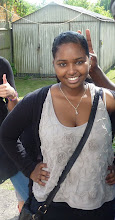
I started and completed my contents page today, I continued the white, red and black colour scheme. I used an image of Naomi she was outdoors crouching down with her hand pushing her hair, this shows how fierce she looks, I think this represents my genre R&B. I cut the image out more carefully using photoshops pen tool(which is a long and painful process). I have "Dyam Fool" at the top slanted. The main image is on the left hand side, and the text on. I used some generic vectors around my contents page. This is my favourite page, I partically like the image of Naomi. If i got these images earlier I would have used her as my front cover image.


Friday, 2 April 2010
Picture for main feature
I managed to fix the blogger site on my laptop, it is unblocked and now i also can put pictures up. So i have been going into my previous blog enteries and putting pictures on there. I have also taken a picture for my main feature article, he is sitting down on a sofa and is posed holding a xbox controller, he is not looking at the camera to show he is focused on playing his game. This is unusual, but i wanted a picture that showed what he is into apart from music, this picture shows that my artist likes to have fun just like a regular person, so it will appeal to readers, because they like to do these things as well. It also shows that he's a fun person he does not take everything seriously.


Looking at the pictures i was not happy with the pictures for my main feature, so i have decided to use a different one, because i was also adviced by Mr Jarret who felt my pictures were not to good enough to be to the main picture on my main feature. So we looked through all the pictures i took of Asher before for my font cover and picked a picture out of there that is quite similar. I decided to go for one where he is posing in front of the camera putting his two fingers up.
After this i had to edit my picture on photoshop using a various of cutting tools, I used the pen tool to cut around Asher's body as well as the tools like the magic wand. This was so that my image would not be attached to the background on the main feature, so my background colour is not restricted.

.png)
I also created a text box and an filled it with a place holder texts, then i made 3 colmns, and pasted my actual text for my main feature. I created four circles and pasted some images of asher in there. I made them all different sizes and put a red out line of each of them so it could keep the same colour scheme as my front cover. I put three of the pictures in between my text and one on the side of my banner,I knew my images were in unusual places so i used text wrap feature to make the article text flow around the quotes and images. I also added some drop shadow on the images. For my banner I used a multiply blending mode.

I also got a picture of a white room and used this as a background for my main feature,this was to keep the same house style through out my magazine, because my front cover consists of red black and white. I think the background works well for my main feature, because it is interesting but it is not too over powering, you can still see the text.

There is a picture of my completed main feature article below

Im planning to complete my contents page, I will use a picture of a female for the contents page, because i want there to be a female in my product aswell so it will attract males as well as females. By Thursday aswell as the written work needed for my product, to ensure that i am up to date with everything.


Looking at the pictures i was not happy with the pictures for my main feature, so i have decided to use a different one, because i was also adviced by Mr Jarret who felt my pictures were not to good enough to be to the main picture on my main feature. So we looked through all the pictures i took of Asher before for my font cover and picked a picture out of there that is quite similar. I decided to go for one where he is posing in front of the camera putting his two fingers up.
After this i had to edit my picture on photoshop using a various of cutting tools, I used the pen tool to cut around Asher's body as well as the tools like the magic wand. This was so that my image would not be attached to the background on the main feature, so my background colour is not restricted.

.png)
I also created a text box and an filled it with a place holder texts, then i made 3 colmns, and pasted my actual text for my main feature. I created four circles and pasted some images of asher in there. I made them all different sizes and put a red out line of each of them so it could keep the same colour scheme as my front cover. I put three of the pictures in between my text and one on the side of my banner,I knew my images were in unusual places so i used text wrap feature to make the article text flow around the quotes and images. I also added some drop shadow on the images. For my banner I used a multiply blending mode.

I also got a picture of a white room and used this as a background for my main feature,this was to keep the same house style through out my magazine, because my front cover consists of red black and white. I think the background works well for my main feature, because it is interesting but it is not too over powering, you can still see the text.

There is a picture of my completed main feature article below

Im planning to complete my contents page, I will use a picture of a female for the contents page, because i want there to be a female in my product aswell so it will attract males as well as females. By Thursday aswell as the written work needed for my product, to ensure that i am up to date with everything.
Friday, 26 March 2010
Idea for main feature picture
I decided that i wanted my main feature image to be outside, this is so that my front cover and main feature images do not look similar, also to show off the different shot types i will use, unfortunately the weather has not been to good to take my pictures, so i want my pictures to be done by next week. In the mean time i have been looking at some evaluation questions that i have been given in to answer and i have been looking at them and trying to complete them. I have discovered that i am starting to have difficulties with my blog, because when i tried entering the site on my laptop at home it would not work. So i typed in site unblocker on google and typed the blogger website in, it finally worked but then i realised i can not put up images, because i can not see the image symbol.
Friday, 19 March 2010
Continuing my main feature
This week i have continued producing questions for my main feature. I have also tried to go to MRC to get some pictures for my main feature article, unfortunately it was not successful i have had a couple minor set backs on being able to get my pictures, so i have been working on my blog still and thinking off ideas what to do for my main feature.
Friday, 12 March 2010
Starting My Main Feature
As well as making sure i am keeping up to date with my blog this week i started my main feature article. I started writing a couple of questions which my magazine could ask, Asher B during the interview. I have also come up with some answers of how Asher B will respond to the questions, I only have a few questioning as i have been researching how RnB interviews in magzazines are, I will like to get more questions next week so it would fill the double page spread.
Friday, 5 March 2010
Editing more text
I added in another text saying “I Want A Baby Nicki Minaj Speaks Out” “I Want A Baby” is in black text and “Nicki Minaj Speaks Out” is in red text. I changed it to this, because i know Nicki Minaj is a well known up and coming artist, her name would attract viewers. Next week I will try and start my main feature article. I also added “Age ain’t nothing but a number” these are on the left hand side, where the name of the R&B artists were at the start. “I Want A Baby” is in black and “Nicki Minaj Speaks Out” is in red, the font is in impact but the “Nicki Minaj Speaks Out” is smaller then the “I Want A Baby”. “Age ain’t anything but a number”The“Age and “Number” is in red and the rest of the text is in black.


Friday, 26 February 2010
Back To School
I edited my magazine cover by changing the text. All of text is changed to impact. I kept the colours black white and red but within the text box I changed the colours for example with the text Is R&B Dead? The Is and Dead is white and R&B is red.


I also changed the Top 100 R&B superstars of all time to Top 100 R&B superstars, The top 100 R&B is in black and superstars is in red, is still in the same place as before.
The text of a couple names of RnB superstars that are mentioned “Aaliyah, Beyonce, Trey Songz, Tyrese, New Edition and many more” in black, has been put lower with “Trey Songz, Monica, Tyrese and Beyonce” Trey Songz written in black Monica and Beyonce in Red and Tyrese is in white.

The text Beyonces Top 10 look for summer is still in white but it is moved more to right and there is a red silhouette on top of the text.


I also changed the Top 100 R&B superstars of all time to Top 100 R&B superstars, The top 100 R&B is in black and superstars is in red, is still in the same place as before.
The text of a couple names of RnB superstars that are mentioned “Aaliyah, Beyonce, Trey Songz, Tyrese, New Edition and many more” in black, has been put lower with “Trey Songz, Monica, Tyrese and Beyonce” Trey Songz written in black Monica and Beyonce in Red and Tyrese is in white.

The text Beyonces Top 10 look for summer is still in white but it is moved more to right and there is a red silhouette on top of the text.

Friday, 19 February 2010
Half Term
I have been working on my blog improving, but adding more detail, sadly I do not have In design at home so I was not able to improve on my magazine but I still have had thoughts. Next week I hope to have finished my blog and to get started on my main feature.
Friday, 12 February 2010
Creating Text
Looking at my magazine I could see I only had my central image and title. I created some text boxes saving two each on the same layer. On the top left hand side underneath the title, but quite close to the central image, the text says “100 top RnB superstars of all times” underneath that in smaller text there are a couple names of RnB superstars that are mentioned “Aaliyah, Beyonce, Trey Songz, Tyrese, New Edition and many more”. On the top right hand side underneath the title and next to the central image I used the shape tool and created a circle and pasted an image of a CD and inside in red font I wrote Free CD around in a circular size on the inside. This is to attract people, because they love free things.

Still on the right hand side but lower next to his arm I created a text box the text says “Is RnB Dead?” in white font Tw Cen MT Condensed Extra Bold. Also on the left hand side lower down to about where his arm is created another text box saying “Beyonces top 10 looks for summer” in Rockwell Condensed and white font.
I looked at my magazine and thought it seemed a bit plain so I decided to create text that is near the bottom of the magazine but it looks like a banner. I made two text boxes and typed in both of them “Asher’s new album release” and under still in the text both I wrote “Read more about” and I pulled them together. I also created a transparent affect; the text box was red while the writing is quite see through this is to go with the colour scheme, at the bottom right hand side of the transparent affect i placed a bar code on,this is so my product uses the conventions of other media products.

I realised my front cover consisted of the colours red, black and white so I decided to colour my title in white and red to go with the scheme. The “Dyam” is red and the “Fool” is white. By next week I would like to complete my magazine to the best of my ability.

Still on the right hand side but lower next to his arm I created a text box the text says “Is RnB Dead?” in white font Tw Cen MT Condensed Extra Bold. Also on the left hand side lower down to about where his arm is created another text box saying “Beyonces top 10 looks for summer” in Rockwell Condensed and white font.
I looked at my magazine and thought it seemed a bit plain so I decided to create text that is near the bottom of the magazine but it looks like a banner. I made two text boxes and typed in both of them “Asher’s new album release” and under still in the text both I wrote “Read more about” and I pulled them together. I also created a transparent affect; the text box was red while the writing is quite see through this is to go with the colour scheme, at the bottom right hand side of the transparent affect i placed a bar code on,this is so my product uses the conventions of other media products.

I realised my front cover consisted of the colours red, black and white so I decided to colour my title in white and red to go with the scheme. The “Dyam” is red and the “Fool” is white. By next week I would like to complete my magazine to the best of my ability.
Friday, 5 February 2010
New Pictures For My Front Cover
I took pictures for my front cover in Mr Jarrett office. I used my friend Asher. I took quite a lot of pictures that consisted of close up and mid shots, some picture was with him posing with a microphone while others wasn’t wearing sun glasses.I used a cannon 50D camera, and made sure Asher was closely lit from left to right in the small studio.

I took about 25 shots and used the image i liked the best for the front cover, which was a mid shot picture with my Asher posing with their two hands together right in front of the camera. As soon as I got my central I edited it on Photoshop by colouring in the glasses. Then i edited my image on Photoshop by using the magic wand tool to seperate Asher from the background. I then saved it on a PNG file(portable network graphics). PNG's are so important, because they are the only image format that supports transparency. Transparency is so important because it allows me to place objects behind my main subject on my magazine page, for example placing Ashers head infront of the title.
I put it on in design and created my title using Adobe illustrator, I was not sure what colour to use for my title as I still was not completely sure on the colour scheme of my magazine, so I kept it as yellow. Then I realised I wanted the head of the central image on top of the title, because I researched quite a few RnB magazines have their covers like that,and make a copy of the layer and cut around his head, then I created another layer and cut around his head again and also down his neck to make the part where his head is white, but I didn’t include the forehead, then I merged the two together. I went back to in design and saved each part on a different layer and I put the title layer on top of the head layer this allowed me to get what I wanted. Next week I would like to have created some more text for my magazine, because the only text I have is the title.


I took about 25 shots and used the image i liked the best for the front cover, which was a mid shot picture with my Asher posing with their two hands together right in front of the camera. As soon as I got my central I edited it on Photoshop by colouring in the glasses. Then i edited my image on Photoshop by using the magic wand tool to seperate Asher from the background. I then saved it on a PNG file(portable network graphics). PNG's are so important, because they are the only image format that supports transparency. Transparency is so important because it allows me to place objects behind my main subject on my magazine page, for example placing Ashers head infront of the title.
I put it on in design and created my title using Adobe illustrator, I was not sure what colour to use for my title as I still was not completely sure on the colour scheme of my magazine, so I kept it as yellow. Then I realised I wanted the head of the central image on top of the title, because I researched quite a few RnB magazines have their covers like that,and make a copy of the layer and cut around his head, then I created another layer and cut around his head again and also down his neck to make the part where his head is white, but I didn’t include the forehead, then I merged the two together. I went back to in design and saved each part on a different layer and I put the title layer on top of the head layer this allowed me to get what I wanted. Next week I would like to have created some more text for my magazine, because the only text I have is the title.

Friday, 29 January 2010
Going To MRC
I went to MRC during my media lesson and listened to Mr Jarret teach us how to use Adobe Photoshop and In Design. In Photoshop I learnt how to edit eye colour and blurring pictures. Mr Jarret had a look at my pictures I was planning to use and told me that they were not as good as they could be because I could not zoom into them without ruining the quality, he advised me to take so new ones so next week I would like to have some new pictures for my front cover with better quality. I understand that having a goof posed picture is very important for my cover.
Friday, 22 January 2010
Editing my image
This week I was able to successfully cut out my central picture using Adobe Photoshop, after my failed attempts. I was also able to edit it a bit and out an outline on the picture to make it look more defining. Next week I want to be on In design and be able to place how I want my front cover to be by putting my central image on and selecting text for it. I plan to spend time in the MRC.
Friday, 15 January 2010
Editing my flat plan
This week in media I made the outline colour of my textbox darker on my flat plan to make the boxes of detail stand out more. Also I have been trying to cut out my central image for my magazine cover but I was not successful at this. I will attempt to do this next. I also have been looking at my other pictures for my front cover and seeing if I am fully confident with them and they represent what I wanted them to. Next week as well as cutting out my central image I will also want to become more confident with in design, and experiment with the software putting my images on there.
Subscribe to:
Posts (Atom)