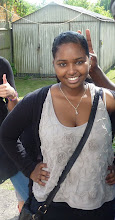


Looking at the pictures i was not happy with the pictures for my main feature, so i have decided to use a different one, because i was also adviced by Mr Jarret who felt my pictures were not to good enough to be to the main picture on my main feature. So we looked through all the pictures i took of Asher before for my font cover and picked a picture out of there that is quite similar. I decided to go for one where he is posing in front of the camera putting his two fingers up.
After this i had to edit my picture on photoshop using a various of cutting tools, I used the pen tool to cut around Asher's body as well as the tools like the magic wand. This was so that my image would not be attached to the background on the main feature, so my background colour is not restricted.

.png)
I also created a text box and an filled it with a place holder texts, then i made 3 colmns, and pasted my actual text for my main feature. I created four circles and pasted some images of asher in there. I made them all different sizes and put a red out line of each of them so it could keep the same colour scheme as my front cover. I put three of the pictures in between my text and one on the side of my banner,I knew my images were in unusual places so i used text wrap feature to make the article text flow around the quotes and images. I also added some drop shadow on the images. For my banner I used a multiply blending mode.

I also got a picture of a white room and used this as a background for my main feature,this was to keep the same house style through out my magazine, because my front cover consists of red black and white. I think the background works well for my main feature, because it is interesting but it is not too over powering, you can still see the text.

There is a picture of my completed main feature article below

Im planning to complete my contents page, I will use a picture of a female for the contents page, because i want there to be a female in my product aswell so it will attract males as well as females. By Thursday aswell as the written work needed for my product, to ensure that i am up to date with everything.

No comments:
Post a Comment